Visual Clipboard Shelf
Keep up to 50 recent copies visible right on your keys. Previews show character counts, code language tags, domain badges for links, and image thumbnails.

STREAM DECK PLUGIN
Your clipboard. On your Stream Deck. ClipShelf turns recent copies into a visual shelf of text, links, code, images, and color swatches. Assign keys to recent history slots, inspect colors across formats, and paste with a single tap.
Keep up to 50 recent copies visible right on your keys. Previews show character counts, code language tags, domain badges for links, and image thumbnails.
Copy HEX, RGB, or HSL color codes to see full-color tiles. Inspect values and paste instant format conversions directly into CSS, Figma, or your editor.
Rotate the dial on Stream Deck + to browse your clipboard history, press to paste, and tap the touchstrip to pin text favorites. Neo Infobar keeps your latest copy in view.
Best-effort filtering skips copies from 1Password, Bitwarden, KeePass, and Apple Passwords. All data is stored 100% in local memory with zero cloud tracking.
Engineered with high-performance native clipboard listeners for macOS and Windows.
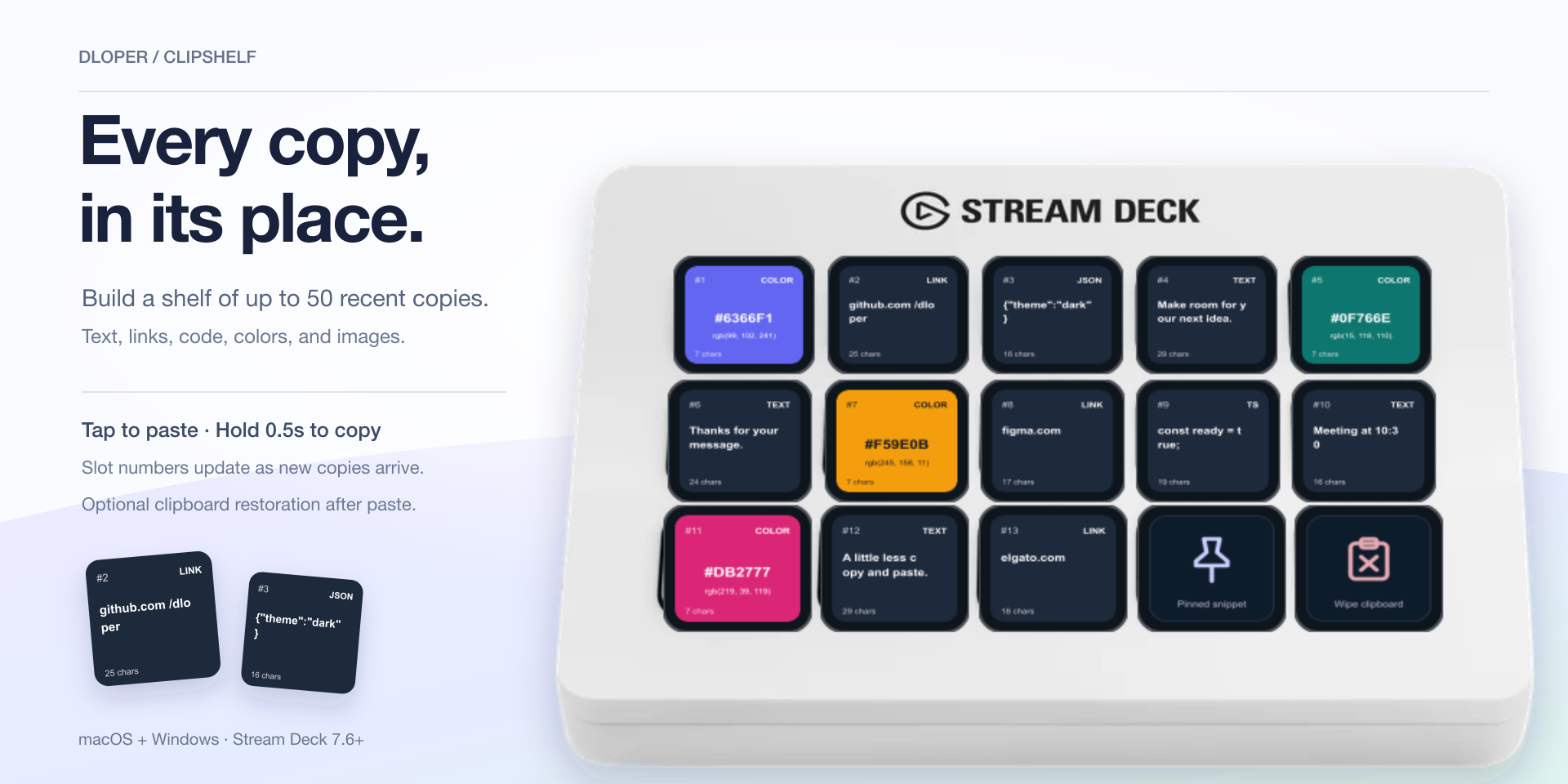
Build a multi-slot shelf. Slot 1 is always newest. Tap to paste into the active app; hold for 500 ms to copy without sending a paste keystroke.
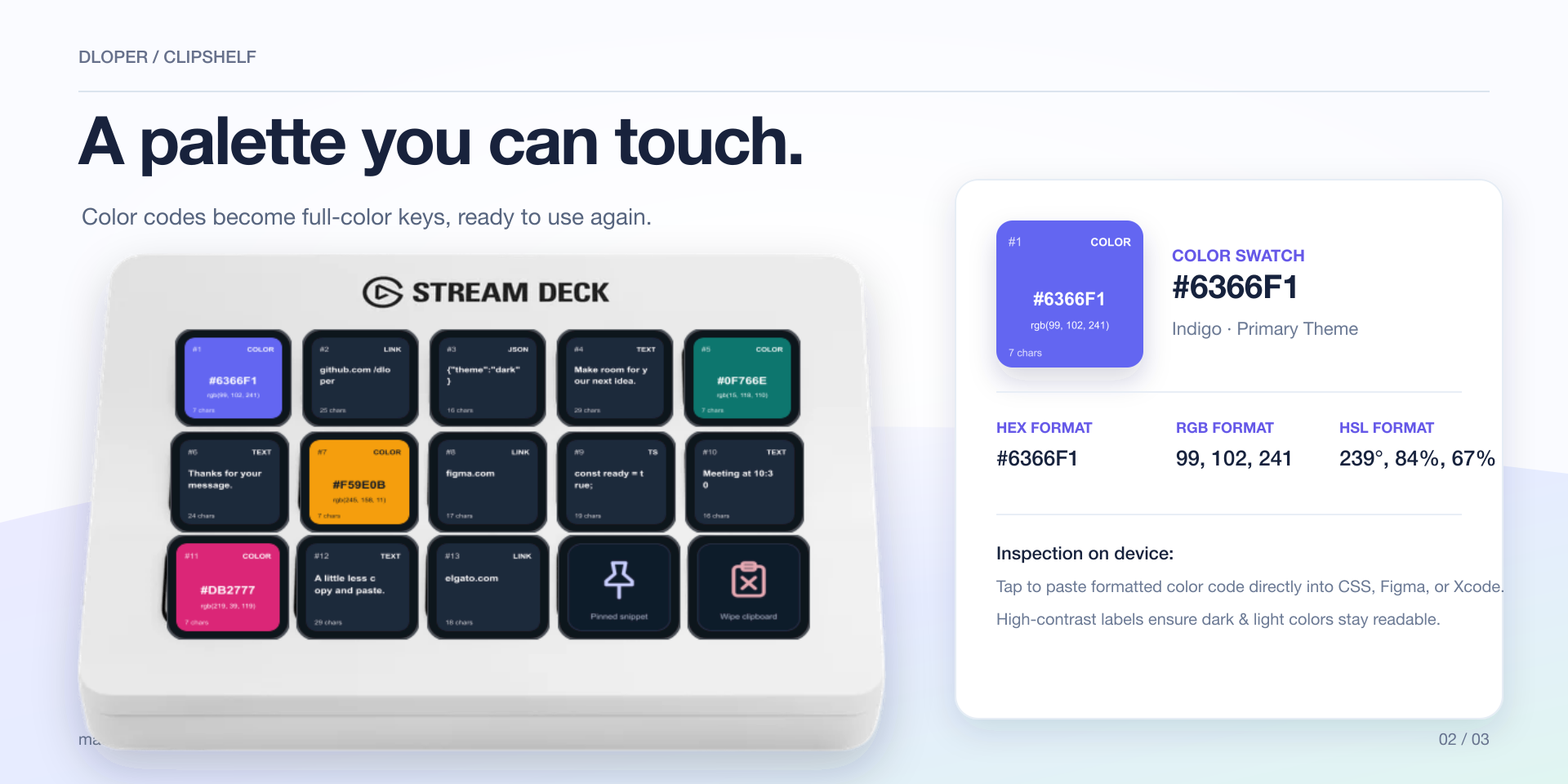
Turn colors into full-color keys. Inspect HEX, RGB, and HSL formats with contrasting labels, and paste the exact syntax your workflow needs.
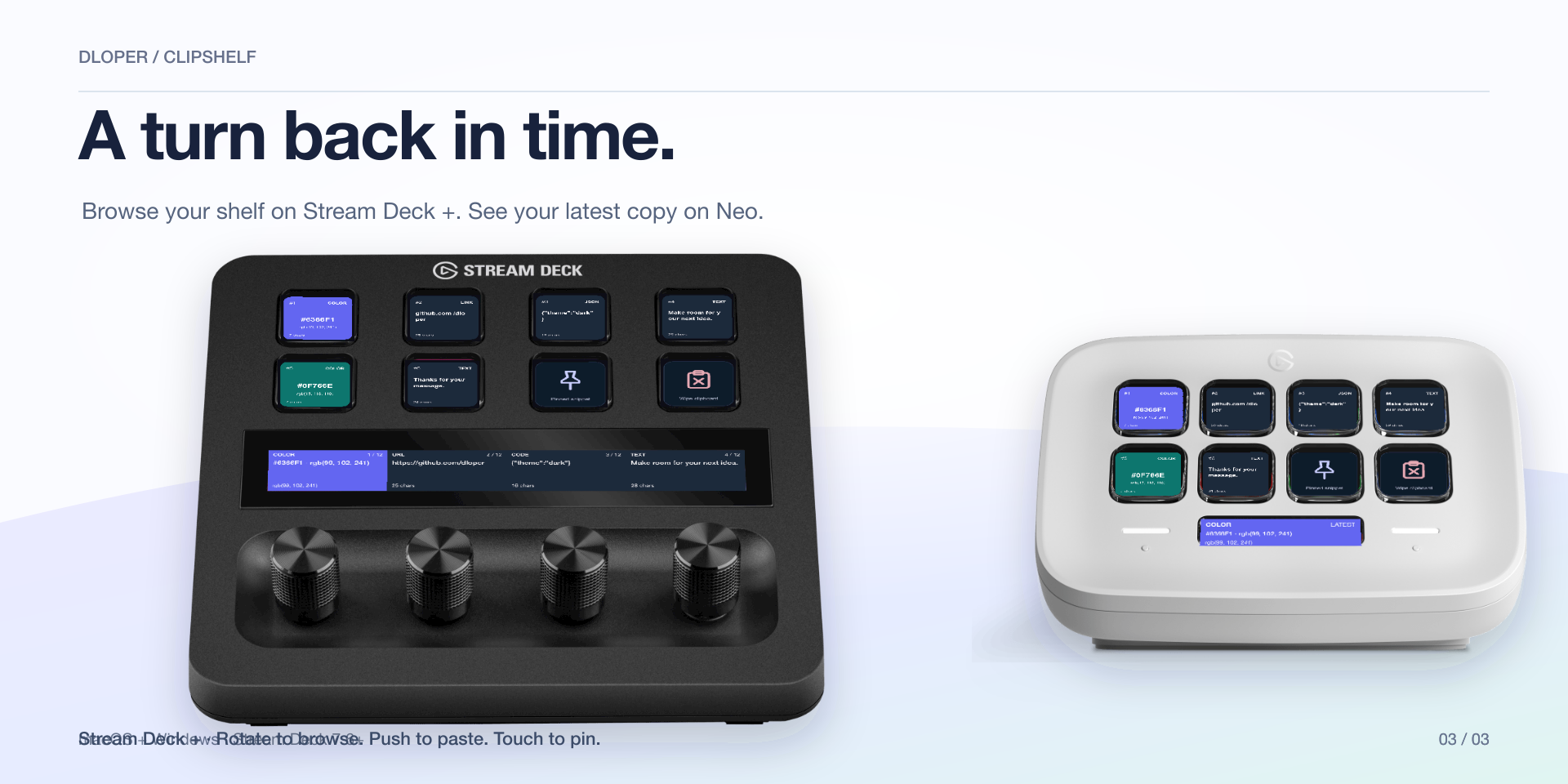
On Stream Deck +, spin the rotary encoder to scroll history, push to paste, and tap the strip to pin. Neo Infobar displays your latest copy at a glance.
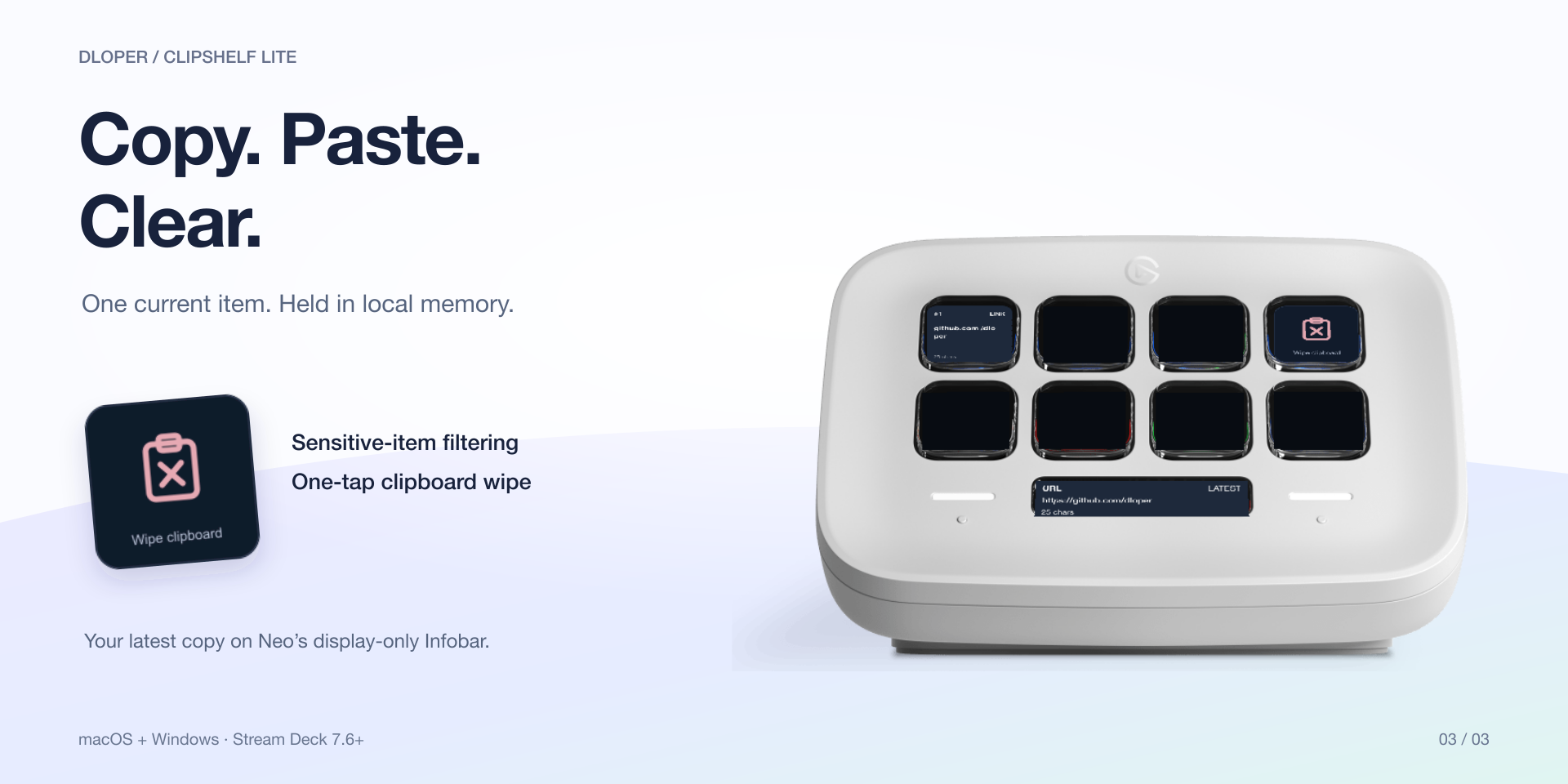
Automatically detects and filters copies from recognized password managers and sensitive markers so credentials stay off your public keys.
Drag and drop into your Stream Deck layout in seconds.

Display an item from slots 1 to 50. Tap to paste into your active app; hold for 500 ms to copy only.
Keypad Surface
Keep frequently used text, code templates, or links permanently pinned. Choose from 20 saved favorites or custom text.
Keypad Surface
Shows the latest retained color as a full-color tile with instant HEX, RGB, or HSL conversion on tap.
Keypad Surface
Rotate to scroll history, push to paste the selected item, and tap the touchstrip to pin text favorites.
Rotary Encoders
Glanceable continuous readout of your latest copied item on the 232 × 50 Neo Infobar display.
Stream Deck Neo
Clear the operating system clipboard and flush ClipShelf's recent in-memory session history.
Keypad SurfaceStart free with ClipShelf Lite for your latest copy, or get the complete 50-item visual shelf with Pro.
| Feature | ClipShelf Lite | ClipShelf Pro |
|---|---|---|
| Clipboard History Capacity | 1 item (current only) | Up to 50 items |
| Latest Copy / History Slot Keys | 1 Key Action | 50 Slot Keys |
| Pinned Snippets & 20 Saved Favorites | Not included | Included |
| Color Swatch Inspector | Current item only | Retains History Color |
| Stream Deck + Rotary Dial Browsing | Not included | Included |
| Stream Deck Neo Infobar HUD | Included | Included |
| Wipe Clipboard Action | Included | Included |
| Copy-Only Mode & 500ms Hold Copy | Included | Included |
| Clipboard Snapshot & 250ms Restoration | Included | Included |
| Privacy Shield (Password Manager Filtering) | Included | Included |
| Price | Free | Full Version |
ClipShelf uses universal native helper binaries responding directly to operating system clipboard events, avoiding battery-draining continuous polling loops.
Toggle "Copy only" to use ClipShelf as a visual viewer without sending keyboard shortcuts—perfect for managed Macs where Accessibility is restricted.
Enable automatic clipboard restoration to snapshot your active clipboard before pasting and restore it 250 ms later, keeping your working text intact.
Recent clipboard history is stored in temporary local memory and clears upon restarting the plugin or computer. Zero data is sent to external servers.
ClipShelf operates completely on your local machine. It requires zero accounts, tracks no analytics, contains no telemetry, and makes no remote network calls. Sensitive items from password managers are dropped before entering history.
Operating Systems: macOS 13 or later (Ventura, Sonoma, Sequoia) & Windows 10 / Windows 11 x64.
Stream Deck App: Requires Stream Deck software version 7.6 or later.
Hardware: Stream Deck Mini, Mk.2, XL, Stream Deck +, Stream Deck Neo, Stream Deck Mobile, and Corsair Galleon 100 SD.
Permissions: macOS Accessibility permission for simulated paste keystrokes.
Complete guide for configuring history slots, setting up pinned favorites, color format conversions, rotary dial browsing, and troubleshooting.