Your Camera, Your View
USB webcams, virtual cameras, direct HTTP/HTTPS MJPEG streams, and snapshot polling. Choose Cover, Contain, or Stretch framing to suit your feed.

CORSAIR iCUE WIDGET
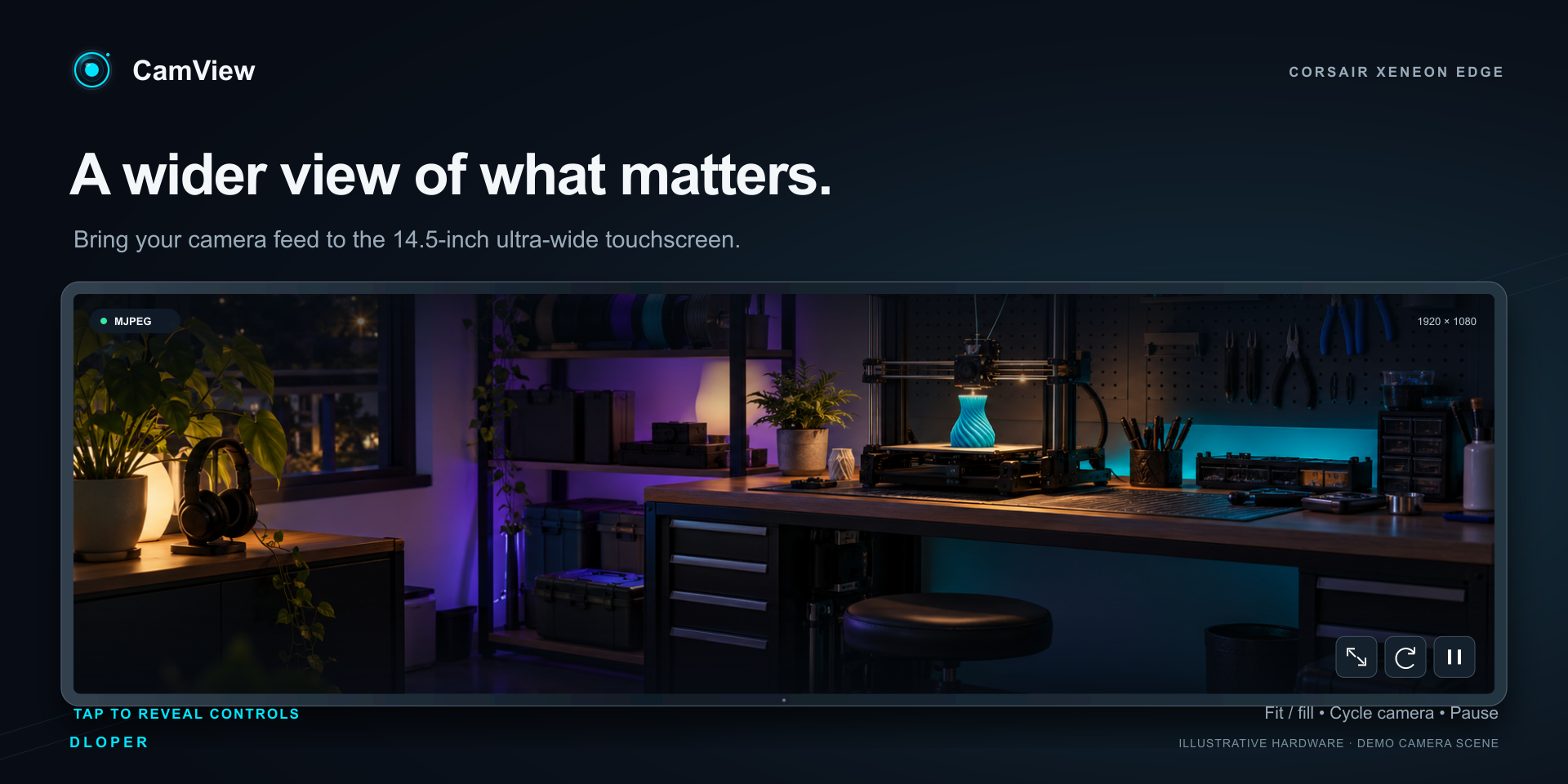
Keep your camera in view. Bring a live camera feed to your Corsair iCUE display. Watch a workshop, check a 3D print, or keep an overhead camera beside your game with a quiet dark interface, auto-fading controls, and digital pan & zoom.
USB webcams, virtual cameras, direct HTTP/HTTPS MJPEG streams, and snapshot polling. Choose Cover, Contain, or Stretch framing to suit your feed.

Engineered for the 14.5" Corsair XENEON EDGE, compatible iCUE Dashboard cards, round pump LCD caps, and keyboard LCDs with circular mask support.
Tap XENEON EDGE to reveal controls, cycle cameras, reconnect network feeds, pause, or adjust digital pan and zoom up to 4×. Controls fade after 4 seconds.
Runs entirely on your local PC. Microphone audio is disabled, no telemetry or cloud logins, and network feeds never leave your local environment.
Experience responsive live video feeds tailored for Corsair desktop hardware and touchscreens.
Monitor your camera feed alongside your game or workspace on the ultra-wide 14.5" touchscreen with full color and crystal-clear clarity.
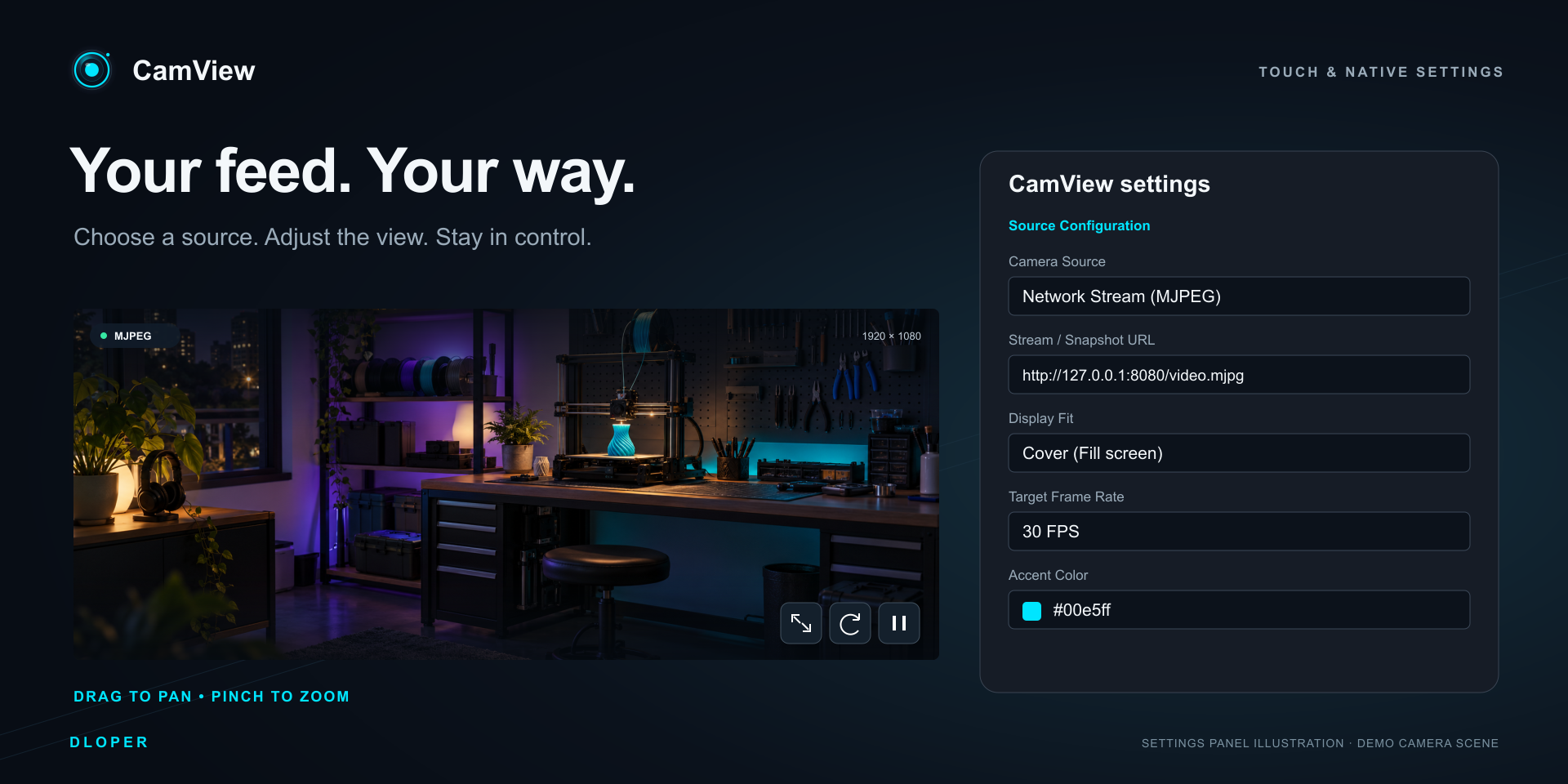
Interactive on-screen controls let you toggle framing, cycle USB cameras, reconnect streams, and inspect live resolution and frame rates.

Dedicated companion edition formatted for Corsair CPU cooler LCD caps and keyboard screens with circular masking and silent operation.
iCUE isolates interactive touchscreen widgets from compact pump/keyboard displays. CamView delivers dedicated editions for both.
| Feature | CamView (Interactive) | CamView LCD (Companion) |
|---|---|---|
| Target Hardware | Corsair XENEON EDGE & Dashboard | Pump LCD Caps & Keyboard LCDs |
| USB & Virtual Webcams | Included | Included |
| MJPEG Network Streams & Snapshots | Included | Included |
| Circular Mask Mode (Round LCDs) | Included | Included |
| Touch Controls (HUD & Gestures) | Included | Disabled for stability |
| Digital Pan & Zoom (1×–4×) | Included | Default crop |
| On-Screen Camera Switching & Pause | Included | Native iCUE properties |
| Multi-Language (8 Locales) | Included | Included |
Connect your favorite USB webcam, capture card, or virtual camera (like OBS Virtual Camera). Cycle detected cameras directly from the on-screen touch menu.
Stream directly from network cameras, OctoPrint, PrusaLink, and 3D printer video feeds using standard HTTP/HTTPS MJPEG endpoints with minimal latency.
Supports cameras that provide still-image snapshot endpoints. Configurable refresh rates up to 20 FPS with non-overlapping requests and cross-origin support.
Need to connect an RTSP or H.264 security camera? Use lightweight local gateways such as go2rtc or MediaMTX to convert RTSP feeds into instant MJPEG streams.
CamView suspends active video rendering and requests when the display is hidden or when switching tabs, freeing CPU and GPU resources for your games.
If network connection is temporarily interrupted, CamView gracefully retries with progressive backoff (1s, 2s, 4s, 8s, up to 15s) and reconnects automatically.
Complete localized interfaces in English, 简体中文, Français, Deutsch, 日本語, 한국어, Português, and Español with automatic locale detection.
No account required, no remote servers, no cloud telemetry, and microphone audio is strictly disabled in code for peace of mind.
CamView operates 100% locally on your machine. It requires zero accounts, sends no analytics, tracks no telemetry, and makes no cloud calls. Audio capture is permanently disabled.
Operating System: Windows 10 & Windows 11 x64.
Corsair iCUE: Version 5.52 or later.
Widget Framework: Version 1.9.0 or later.
Supported Hardware: Corsair XENEON EDGE, iCUE Dashboard, Corsair LCD pump caps, and Corsair keyboard LCDs.
Camera Sources: USB webcams, virtual cameras (OBS), direct HTTP/HTTPS MJPEG endpoints, snapshot URLs, or local RTSP bridges (go2rtc).
Complete guide for setting up USB webcams, configuring network MJPEG and snapshot feeds, creating RTSP gateways with go2rtc, and troubleshooting.